ATS use: interview and pre-screening workflows
Written By Jozef
Last updated 3 months ago
When JobMojito is connected to your ATS, candidates never need a manual invitation: they're picked up automatically once they reach a stage you've chosen to watch, and the result flows back into the same ATS record you're already working from. JobMojito ships more than 70 ATS integrations, set up without any development work; candidate, position, application, stage, and tag data stays synchronized either in real time or every 3 hours, depending on the system, with a manual "Synchronize now" available at any time.
Once connected, the "Create interview" wizard gets a third option, Import from ATS, which pulls the job description, pre-screening questions, and related position data across automatically. From there you configure, per interview: which ATS stage triggers the invite, whether results sync back automatically, whether completed candidates move to an interim stage, and whether the accept/reject decision is made inside JobMojito or left to your ATS.
There are three supported flows.
How results sync back to your ATS
Every one of the three flows below ends the same way, and you choose the mode per interview:
Sync all results to ATS. JobMojito writes the score, tags, and PDF report, plus a result link, straight to the ATS application. You can also turn on an optional, silent move to a configured completed stage once the candidate finishes, effectively giving you a separate input stage (where the watchdog invites from) and output stage (where finished candidates land). Your recruiter keeps making the accept/reject call from inside the ATS itself; JobMojito never decides for you in this mode.
Make decision in this platform. A recruiter accepts or rejects the candidate inside JobMojito's Pending decisions screen, and only the outcome is written back to the ATS: accepting moves the candidate to a stage you've configured (and notifies them), while rejecting runs the ATS's own reject flow using a pre-defined reason you've set up in JobMojito.
Interview
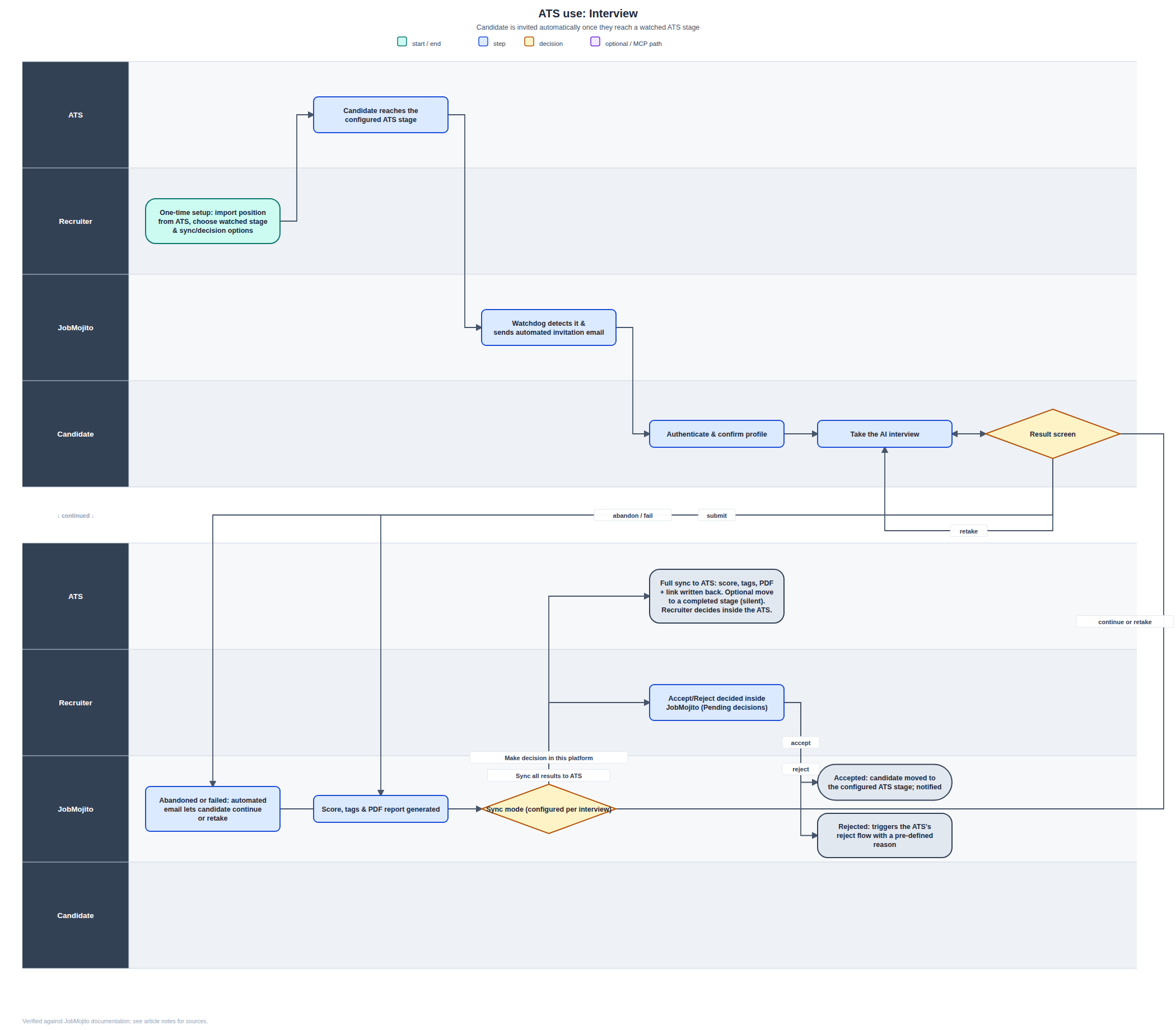
One-time setup. Import the position from your ATS, choose the stage that should trigger an invitation, and pick your sync mode (either of the two above).
Candidate reaches the configured stage in your ATS, through whatever process you already use to manage applications there.
JobMojito's watchdog detects it and sends the invitation automatically. This runs continuously for every active interview; no one has to remember to invite anyone.
Candidate authenticates, confirms their profile, and takes the AI interview: identical to the direct-use flow.
If the session is abandoned or fails, JobMojito automatically emails the candidate so they can continue or retake it, the same as in direct use.
JobMojito scores the result and generates the report, then hands off to whichever sync mode you configured, described above.
Pre-screening with interview
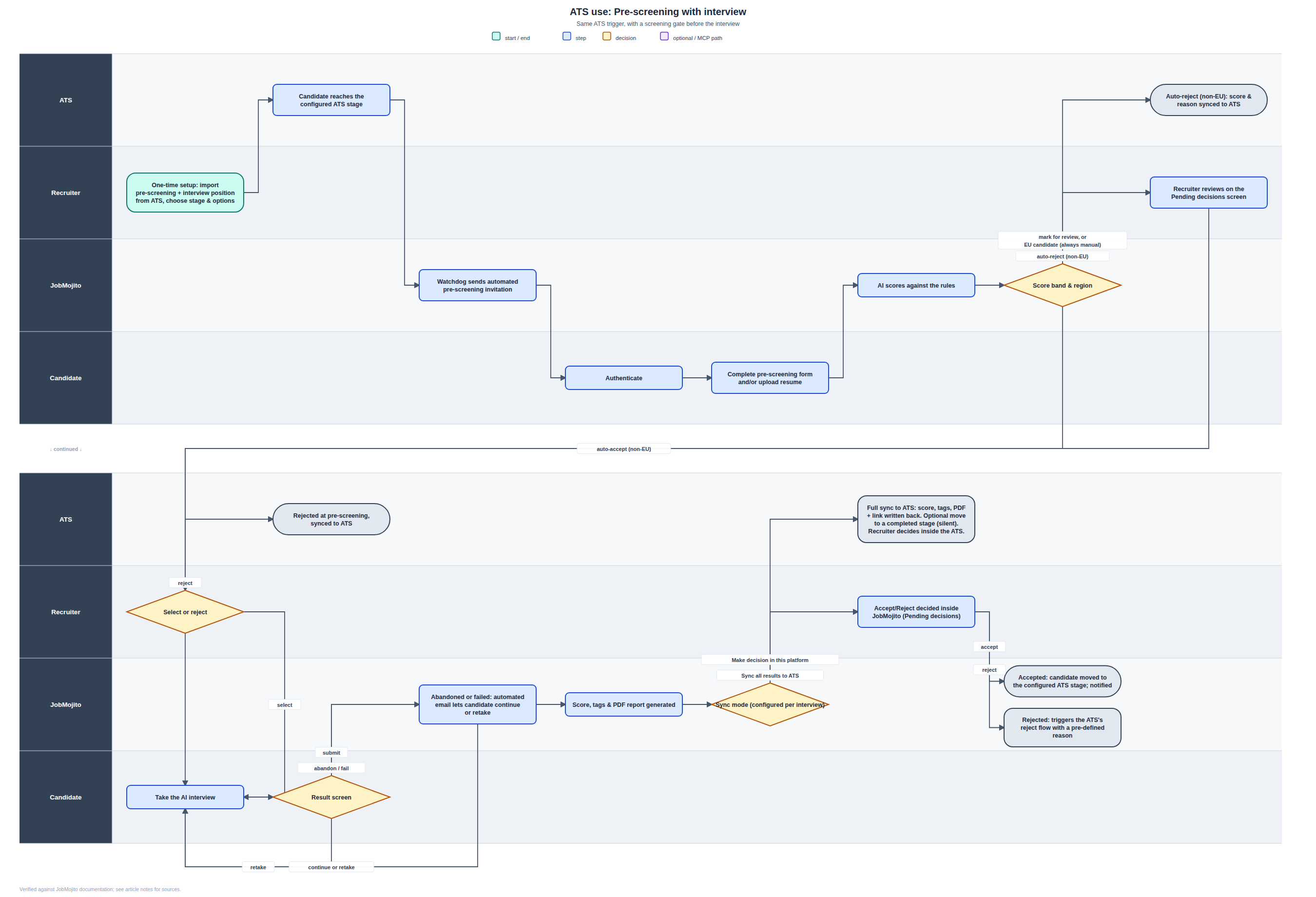
This is the ATS-interview flow above with a screening gate inserted before the AI interview, the same gate used in direct use.
One-time setup, same as above, but importing a position that has both a pre-screening step and an interview stage.
Candidate reaches the configured stage, and the watchdog sends an automated pre-screening invitation (not a full interview invite yet).
Candidate completes the form and/or uploads a resume.
JobMojito scores the submission and lands the candidate in one of three bands, same rules as direct use:
Above threshold, non-EU: auto-accepted into the interview.
Below threshold, non-EU: auto-rejected, with the score and reason synced straight back to the ATS.
Mid-band, or an EU/GDPR candidate: sent to a recruiter's Pending decisions screen. EU candidates never get an automated pre-screening decision; a person always reviews.
If accepted, the candidate takes the AI interview (with the same abandoned/failed email and continue-or-retake option described above), and the final result is handled by whichever sync mode you configured.
Pre-screening only
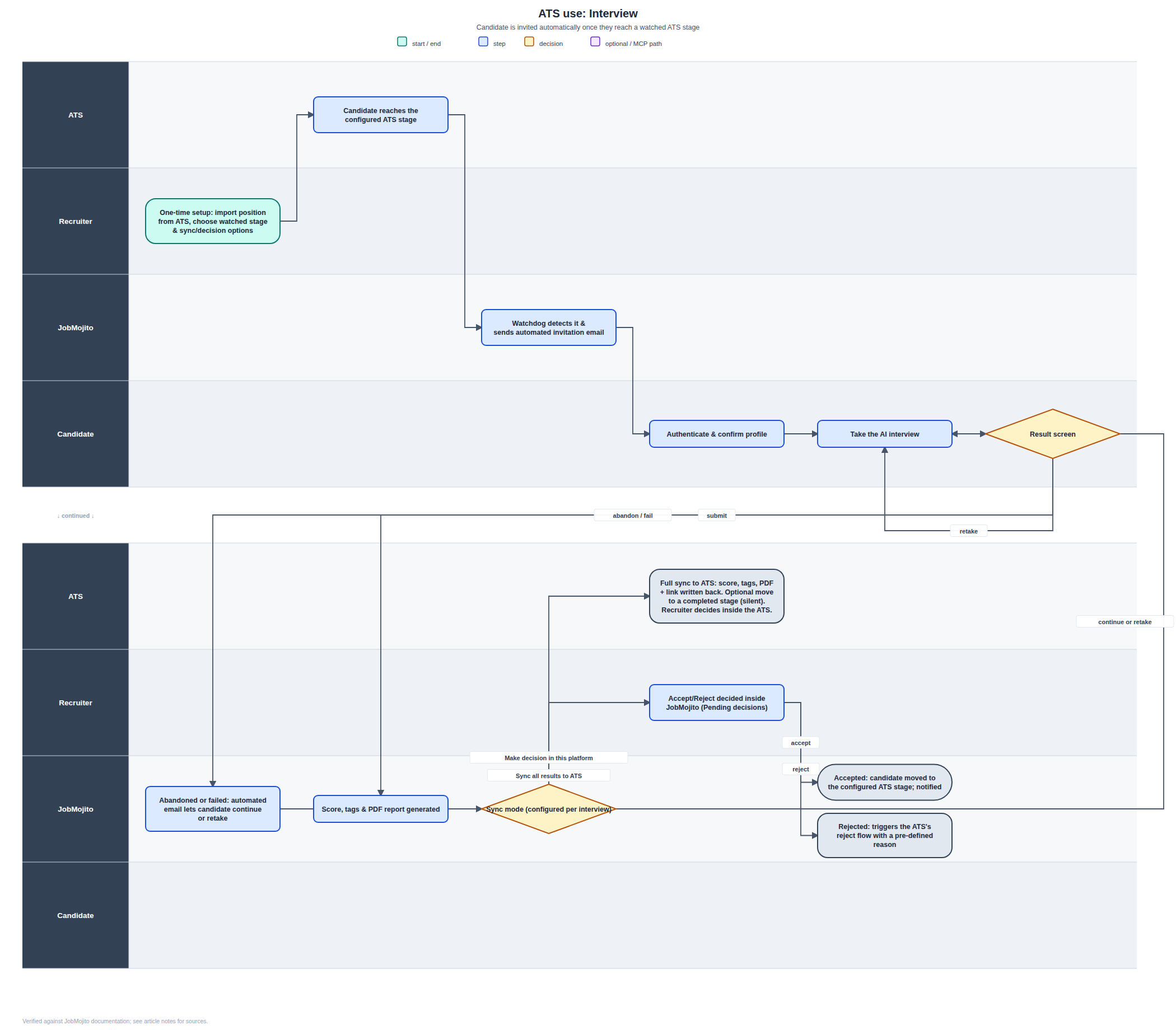
Use this when you only need the qualifying step from your ATS: there's no interview stage attached at all, and unlike the other two flows, there's no candidate-facing form either.
One-time setup: import a pre-screening-only position from your ATS and choose the watched stage and sync mode.
Candidate reaches the configured stage in your ATS.
The ATS sends the candidate's resume to JobMojito directly. There's no portal step and no form for the candidate to fill in; the resume you already have on file is what gets scored.
JobMojito's AI scores the resume against your configured rules.
The result is handled by whichever sync mode you configured: either full sync to the ATS with your recruiter deciding there, or a recruiter deciding inside JobMojito's Pending decisions, with only the accept/reject outcome (stage move or reject-flow trigger) written back.
Was this helpful?
Still need help? Ask the team