Multilingual Support
Written By Jozef
Last updated 7 months ago
JobMojito offers interview support in 30 different languages.
Actions API: Creating an Interview in a Specific Language
When using the Actions API endpoints Create interview using position data, Create interview using position data & candidate pre-screening, or Create interview using provided questions, simply provide the ISO language code from the table below in the mojito_language_code field. The entire interview and results will then be generated in the corresponding language.
Actions API: Creating interview in multiple languages
JobMojito offers the flexibility to conduct job interview or coaching sessions in multiple languages. For example, you can hold an interview in Spanish, seamlessly switching to Finnish for two questions in the middle. During the interview, the avatar will automatically switch languages, speaking and listening in the selected language for each part of the session.
To create an interview in multiple languages, use the Create interview, using provided questions Actions API and configure your data as follows:
Set the
mojito_language_codeat the root of the interview to define the main language. All feedback and assessments will be generated in this language.In the
questionsarray, add themojito_language_codefor any specific question you'd like to ask in a different language. Only provide this value if you want the language to switch for that question.
Admin Interface: Creating an Interview in a Specific Language
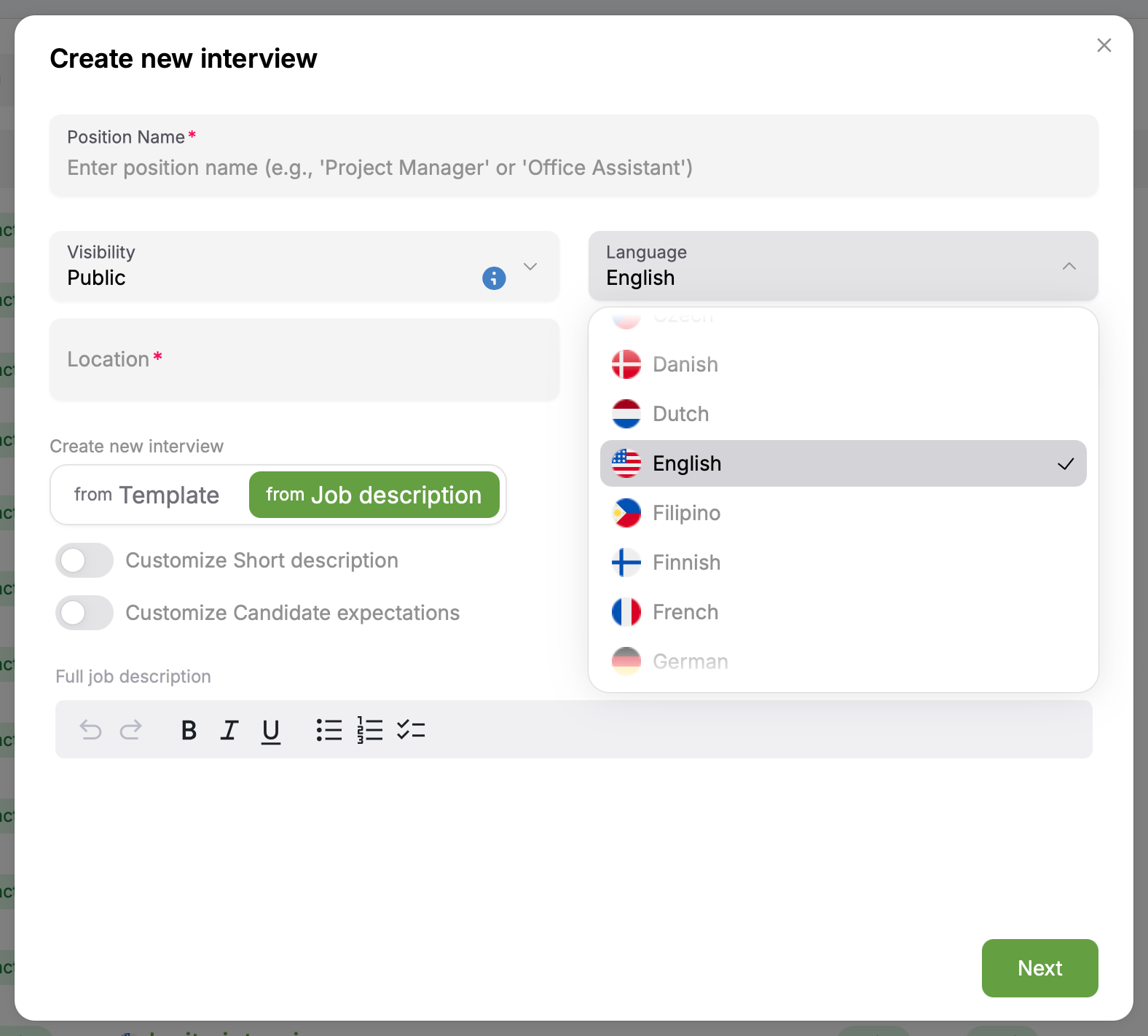
When creating a new interview, select the main language in the modal window. All assessments and feedback for candidates taking this interview will be generated in the language you choose.
Admin Interface: Creating interview in multiple languages
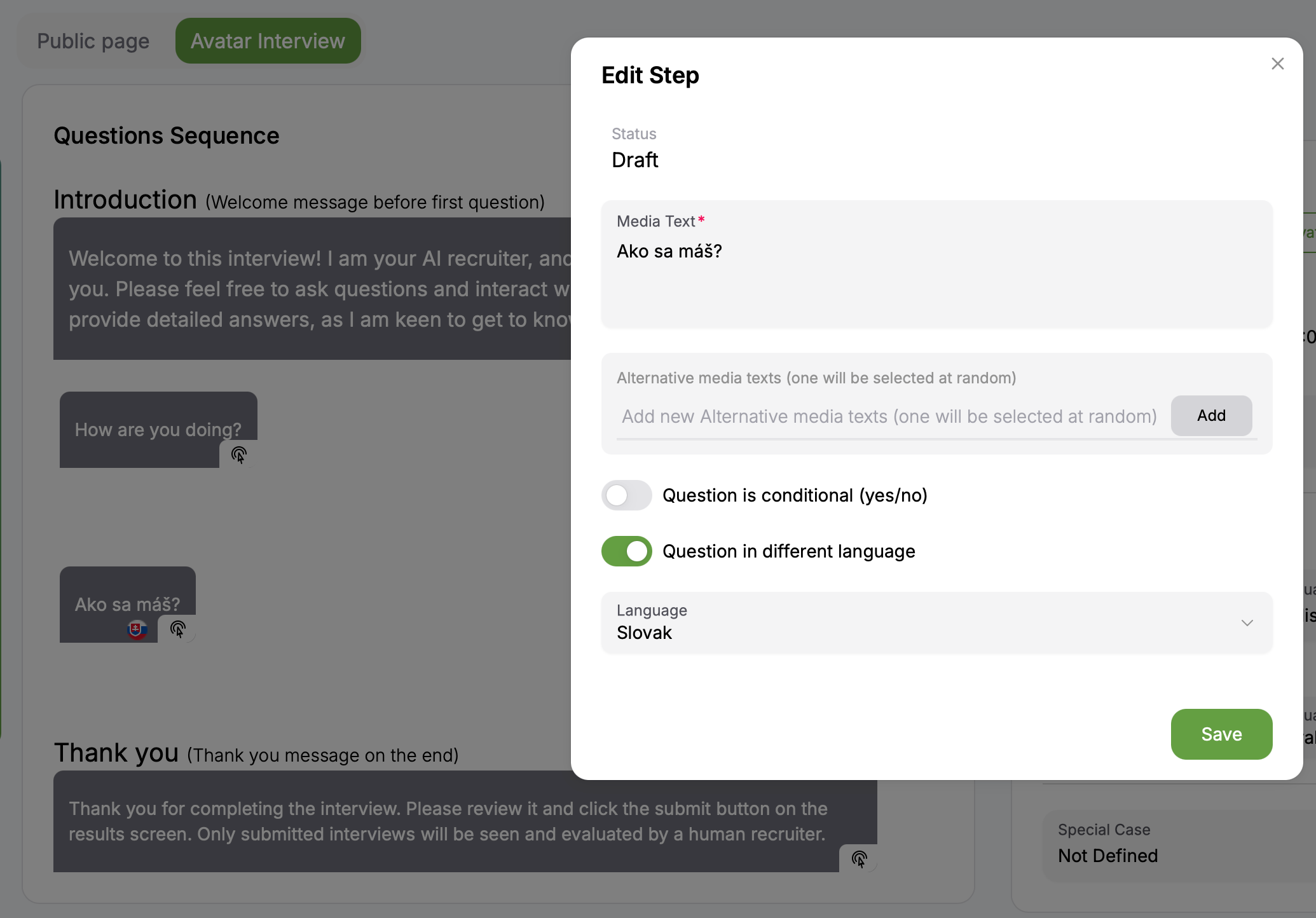
To set a specific question in a different language, follow these steps:
Open the desired interview in "Edit" mode.
Click on the "Avatar Interview" tab.
Select the question you want to display in another language.
Enable the "Question in different language" switch.
Choose the desired language from the dropdown menu.
Note: Please provide your own translation for the question text. For example, if you select Finnish, ensure the question is written in Finnish.
List of supported languages
Was this helpful?
Still need help? Ask the team