Interview [non-interactive]
Interview capture (one way interview)
Written By Jozef
Last updated 7 months ago
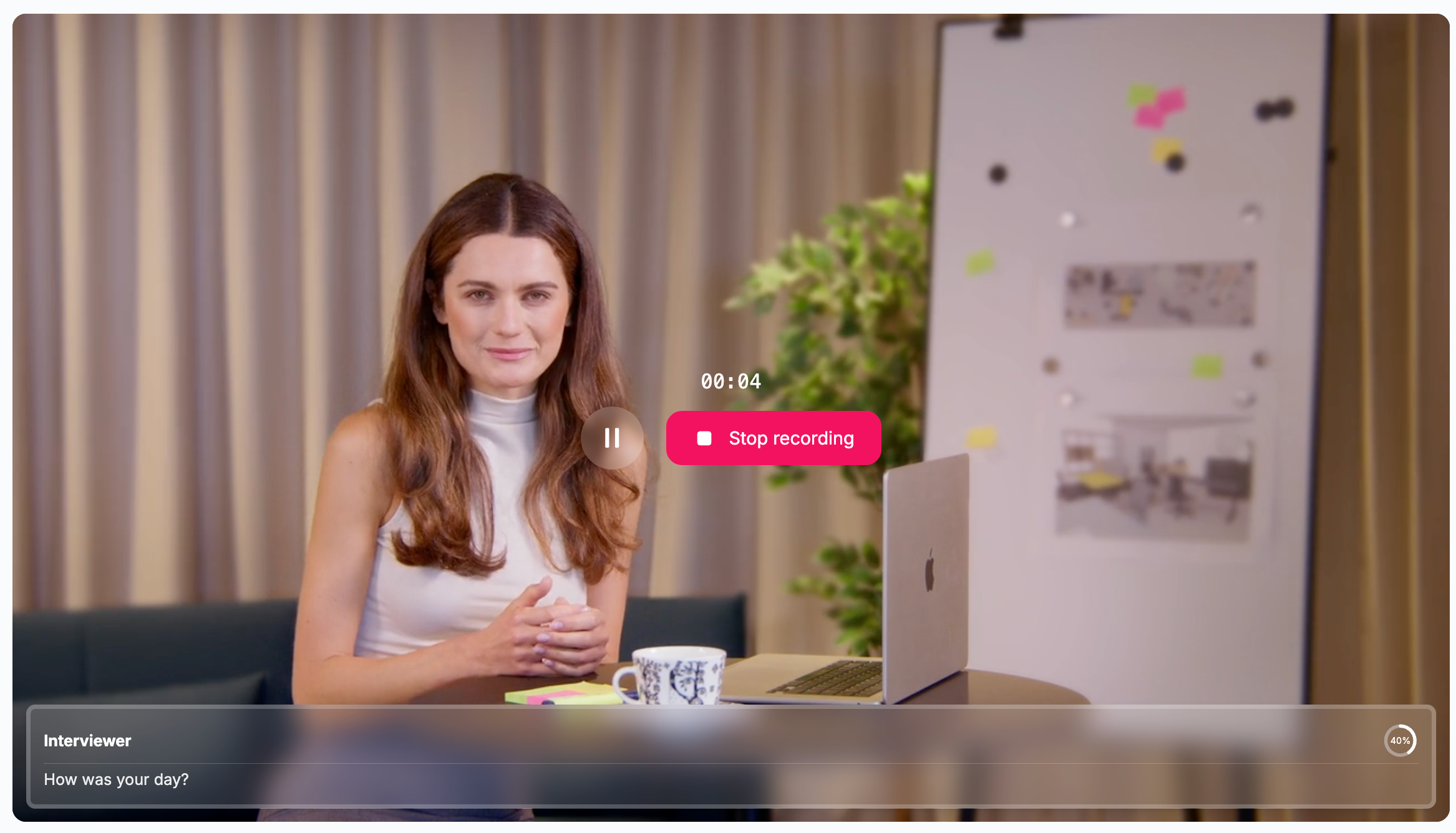
Taking interview
Taking an interview could not be simpler. To complete an interview, you just need to:
Activate your microphone and/or camera.
Answer all of the recruiter’s questions.
After completion, you will be automatically redirected to the results screen, where you need to submit your interview. Read more …
Interviewer Box at the Bottom
Here you can find:
A transcript of your answer.
The interview completion percentage.
Notifications, such as when the sufficient length for an answer has been reached.
The currently expected language for your answer. Please note that the interview may be multilingual, and you may need to answer some questions in a different language.
Controls
All actions are controlled by the buttons in the middle of the screen. You can:
Pause or restart the avatar’s question.
Pause your response recording for a few moments.
Stop recording your answer and move on to the next question.
Answering Yes/No Questions.
Question types
During the interview, you may encounter the following types of questions:
Standard question: We will record and transcribe your speech. Simply press the stop recording button once you have finished your response.
Yes/No question: Once the avatar asks this type of question, Yes and No buttons will appear, and you can select your answer.
Questions & Answers
Can I test my microphone?
Yes, you can. When you activate your microphone, you will have an opportunity to test it by speaking for a few seconds. Once you stop, a transcript of your speech will be displayed.
I didn’t finish my interview. Can I continue it?
Yes, you can. Simply access the same interview link again, and after the welcome message, you will continue from the next question where you left off.
Was this helpful?
Still need help? Ask the team